
Need a Thai IP address while abroad, or stronger privacy while in Bangkok? This guide explains how the Bangkok servers work, how to set them up on your devices, and what real-world speeds you can realistically expect in everyday use.
Surfshark VPN Thailand Servers: Thai IP Addresses, Setup & Performance
Allison Hayes
5th Nov 2026
Surfshark runs a network of 4,500+ RAM-only servers across 100 countries, including Thailand’s capital, Bangkok. Independent reviewers report around 20 servers there, giving travelers, expats and Thai residents alike an easy, reliable way to get a local IP address while keeping their connection fully encrypted on every device they own.
Why Connect to a Thai Server
Access Thai Services From Abroad
A Thai IP address helps expats and travelers reach local banking apps, government portals and Thai streaming platforms that may restrict foreign connections. Connecting to a Bangkok server makes your iPhone or laptop appear to be browsing from inside Thailand.
Protect Data On Public Wi-Fi
Cafés, airports, malls and hotels across Thailand offer open networks that are easy to snoop on. A VPN encrypts your traffic before it leaves your device, so your banking logins, private messages and passwords stay unreadable to anyone else nearby.
Keep Your Real Location Private
Your IP address reveals your approximate physical location and internet provider. Routing traffic through a VPN server replaces it, reducing tracking by advertisers and websites, which matters in a country where internet providers must keep traffic logs for the authorities.
Thai Server Features, Setup and Speed
Bangkok Servers And Location Options
Independent testers report roughly 20 servers in Bangkok, all RAM-only, meaning data is wiped on every reboot. Server counts change over time, so check the in-app location list. To connect, search for Thailand, tap Bangkok and press connect, which keeps the whole process quick and simple for beginners. It works the same way on iPhone, Android, Windows, macOS and Linux.
Getting A Genuine Thai IP
Connecting to a Bangkok server replaces your real IP address with one that appears to come from Thailand. This is particularly useful for local banking, government sites and Thai streaming services. After successfully connecting, visit an IP-checker website to confirm your new location, and run a quick DNS leak test to ensure absolutely nothing exposes your actual home network details.
GPS Spoofing On Android Phones
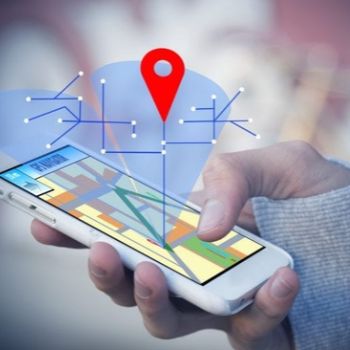
On Android, Surfshark can also change your GPS location to match the chosen server, so apps see coordinates that align with your Thai IP address. This helps avoid awkward location mismatches that can trigger app errors or security checks. The feature is currently Android-only, so iPhone users should rely on the Thai IP alone and review each app’s location permissions.
Quick Setup On Any Device
Install the official app from the App Store, Google Play or the website, then log in and tap the search bar. Type Thailand, choose Bangkok and connect. Quick Connect picks the fastest available nearby server automatically, but for a Thai IP you must select Bangkok manually. Unlimited device connections mean one single subscription covers phones, laptops, tablets and smart TVs.
Real-World Thai Server Speed Expectations
Speed depends on your base internet connection, provider and distance. In one independent test on a 50 Mbps network, a Thai server averaged about 37 Mbps, a modest 25% drop that still handled streaming and gaming smoothly. Another independent review measured 466 Mbps using WireGuard, with 94% speed retention, so results can vary widely between networks, locations and testing methods.

Simple Tips To Boost Performance
If speeds feel slow, switch between WireGuard and other protocols, try another Bangkok server, or connect to a nearby location such as Singapore for general browsing. Close unused background apps, restart the VPN app, and test on mobile data versus Wi-Fi. Use a Thai server only when local access or a Thai IP address is truly needed for the task.
How to Get a Thai IP Address
Subscribe And Install The App
Pick a plan that suits your needs, with Starter from about ฿83 per month on the 24-month term, then install the app on your device. Every plan includes a 30-day money-back guarantee, so you can test the Thailand servers risk-free.
Select Thailand, Then Choose Bangkok
Open Surfshark, log in and search for Thailand in the full locations list. Tap the Bangkok server once to connect. Wait a few quick seconds for the secure tunnel to establish, and the app will show that you are connected.
Verify Your New Thai Location
Visit an IP-checker site to confirm that Thailand appears as your current location. Then run both DNS and WebRTC leak tests. If something looks wrong, switch servers, change protocols, or contact the support team through live chat for fast help.
Final Verdict on Thai Servers
Surfshark’s Bangkok servers make it simple to get a Thai IP address, protect public Wi-Fi sessions and keep your browsing private. Independent tests show sensible speeds, especially when you choose nearby servers for everyday tasks and reserve Thailand for local access. Setup takes minutes on iPhone, Android, Windows and macOS, and one subscription covers unlimited devices. Starter starts at about ฿83 per month on the 24-month plan, One at ฿93 and One+ at ฿150, all backed by a 30-day money-back guarantee. Prices are approximate baht conversions of July 30, 2026 rates, so check current offers first before buying. VPN use is legal in Thailand for personal use, but you must still always follow local laws and respect each service’s terms.