
Indonesian PUBG Mobile players face busy networks, public Wi-Fi risks and ping spikes during peak hours. This guide explains how a VPN can protect your connection, stabilize routing, and help you choose smarter servers without hurting your gameplay or account.
Best VPN for PUBG Mobile in Indonesia: Gaming Privacy, Speed & Server Selection
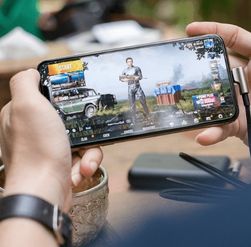
A VPN cannot magically erase lag, but it can hide your IP address, encrypt public Wi-Fi traffic and sometimes improve routing. Surfshark combines WireGuard speed, Bypasser split tunneling and unlimited device connections, making it a practical option for everyday mobile gamers who want stronger privacy without constantly sacrificing network performance.
What Gamers Need From a VPN
Low Latency And Stable Routing
Choose a VPN with WireGuard support and servers near your PUBG Mobile region. Distant locations usually add delay, while nearby servers keep ping steadier. Test several locations during peak evening hours instead of trusting advertised speeds or promised ping numbers.
Privacy Against Harmful DDoS Attacks
Opponents, streamers and malicious players can sometimes discover your IP address through game lobbies, third-party tools or voice chats. A VPN replaces it with a server address, reducing the overall chance of DDoS attacks, harassment and unwanted location tracking online.
Security On Public Wi-Fi Networks
Gaming at cafés, campuses, malls or shared kos Wi-Fi exposes logins and payment details to nearby attackers. VPN encryption also protects top-ups, social accounts and messaging apps, which matters when you buy UC, skins or Royal Pass on shared networks.
Speed, Servers and Safety for PUBG Mobile
Why Ping Matters In Matches
Ping measures the delay between your phone and the game server, and even small spikes can ruin gunfights. Wi-Fi congestion, long routes and ISP throttling all contribute. A good VPN rarely beats a strong direct connection, but it can occasionally improve routing, stabilize paths and reduce delays caused by inefficient provider networks. Always test both with and without it.
Choosing The Best Server Location
PUBG Mobile groups its servers into regions such as Asia, Europe, North America, the Middle East and KRJP. Indonesian players usually do best on the Asia region while connecting to a nearby VPN location, such as Singapore. Surfshark offers servers across 100 countries, so test Indonesia and several neighboring locations, then pick the lowest and steadiest ping for your network.
Multi Hop And Split Tunneling
Multi Hop routes traffic through two servers for extra privacy, but the added distance can increase latency, so use it for browsing rather than ranked matches. Bypasser split tunneling lets chosen apps skip the VPN, which helps when banking or local apps behave strangely while PUBG Mobile stays protected through your preferred server. Always check which apps use the tunnel.
Speed Features Gamers Actually Need
Prioritize WireGuard, a kill switch, automatic connection on untrusted networks and unlimited device connections. WireGuard keeps overhead very low on phones, while the kill switch prevents your real IP from appearing if the tunnel drops suddenly in the middle of a match. Unlimited connections also let your phone, tablet, laptop and family devices share one subscription without constant logging out.
Safe Use And Account Rules
Using a VPN is generally legal in Indonesia, and a VPN alone is not usually the reason accounts are banned. However, avoid frequent region hopping, cheating tools or account sharing, because security systems may flag suspicious behavior. Read the official PUBG Mobile terms, stay on your intended region, and never use a VPN to bypass restrictions or break local laws.
Plans, Pricing And Refund Guarantee
Surfshark Starter costs about Rp45,000 per month on the 24-month plan, One about Rp50,000 and One+ about Rp81,000. Twelve-month Starter is roughly Rp61,000, while monthly billing is about Rp296,000. Every plan offers unlimited devices and a 30-day money-back guarantee. One adds Antivirus, Alert and scam protection. Prices are converted from US dollars, so confirm the final rupiah total at checkout.
How to Set Up VPN for PUBG Mobile
Install VPN And Pick Plan
Download the official VPN app on your phone before opening the game. Choose a plan with a refund guarantee, then log in, allow the VPN configuration request, and test the connection carefully on your usual home Wi-Fi or mobile data.
Connect Nearby Before Launching Game
Open Surfshark, enable the kill switch, then quickly connect to Indonesia or a nearby location such as Singapore. Wait a few seconds for the tunnel to stabilize before launching PUBG Mobile, and keep the same location during all your matches.
Test Ping And Compare Results
Run a match or short training session and note ping, packet loss and stability. Compare results with and without the VPN, and try different locations at different times. Keep whichever final setup delivers the lowest, steadiest latency for your network.
Final Verdict for Indonesian Gamers
The best VPN for PUBG Mobile in Indonesia protects your IP address, secures public Wi-Fi and keeps routing stable, rather than promising impossible ping miracles. Surfshark fits that role well with WireGuard support, a kill switch, unlimited device connections and a 30-day money-back guarantee, starting around Rp45,000 monthly on the 24-month Starter plan. Choose Indonesia or nearby Singapore, then test during busy evening peak hours, and avoid constant server hopping between regions. Keep your game on the right region, follow PUBG Mobile rules and respect Indonesian law. Prices are approximate conversions from US dollars, so verify the final rupiah amount at official checkout. Use the refund window to compare ping, stability and battery impact before committing to a longer plan.