
Malaysians now bank through apps, QR payments, and instant transfers, which makes every connection valuable to scammers. This guide explains how a VPN can protect privacy and security while staying compatible with banking apps you personally rely on every day.
Best VPN for Online Banking in Malaysia: Privacy, Security & App Compatibility
Grace Peterson
30th Oct 2026
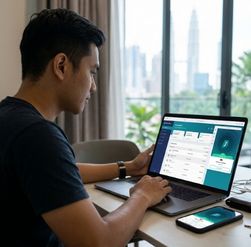
Online banking is safest on trusted networks, yet cafés, malls, airports, and shared Wi-Fi are unavoidable. A VPN like Surfshark encrypts your traffic, hides your IP address from snoopers, and adds protections such as a kill switch, so sensitive sessions stay private without changing how your bank app normally works.
Core VPN Benefits for Banking
Encrypting Every Banking Session
Strong encryption scrambles data between your device and the VPN server, so anyone sharing a café or mall network cannot read your login details. Look for AES-256-GCM or ChaCha20, plus built-in DNS, WebRTC, and IPv6 leak protection for added safety.
Kill Switch Prevents Data Exposure:
If the connection drops mid-transaction, Surfshark’s kill switch cuts internet access until the tunnel returns, preventing your real IP address and unencrypted traffic from leaking. That matters on unstable mobile data or crowded public Wi-Fi during busy morning commuting hours.
Privacy Beyond Your Bank Login:
A VPN hides your IP address from websites and advertisers, while ad and tracker blocking reduces profiling across the pages you visit before and after banking. Your bank still knows who you are once you sign in to your account.
Making VPNs Work With Banking Apps
Why Banks Flag VPN Connections
Banks monitor risk signals such as location, device, and IP reputation. Because VPN addresses are shared and may appear in another country, some banks request extra verification or temporarily block access, though behavior differs by institution. If a login is challenged, stay calm, never share TAC or passwords, and contact the bank through its official hotline or verified app channels.
Using Split Tunneling for Banking
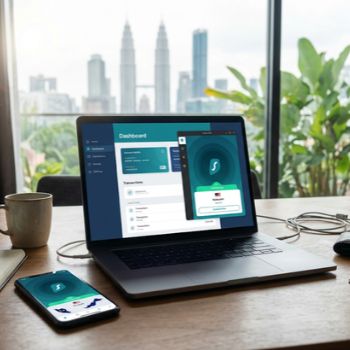
If a banking app refuses to work while the VPN is on, split tunneling can help. A feature like Bypasser, on supported devices, lets chosen apps or websites use your normal connection while everything else stays protected. Use it only on trusted networks, because excluded traffic is no longer encrypted by the VPN, though banking apps use their own encryption.
Choosing Malaysian Servers for Banking
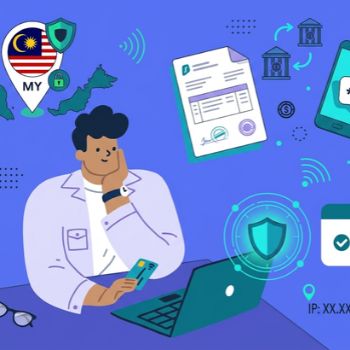
A Malaysian IP can look more familiar to your bank, especially when you are abroad. Surfshark runs 12 servers in Kuala Lumpur, giving you a Malaysian IP address from anywhere. Choose the closest server for lower latency, keep one consistent location for banking, and avoid hopping between countries during a session, which can look suspicious to automated fraud detection systems.
Protocols and Mobile Network Switching
WireGuard offers fast, modern performance, while IKEv2 handles switching between Wi-Fi and mobile data smoothly, which suits commuters opening banking apps on the move. OpenVPN remains a dependable fallback on restrictive networks. If a connection feels unstable during a transfer, wait for it to settle, confirm the transaction status in your app, and avoid accidentally repeating the exact same payment.
Securing Banking on Public WiFi
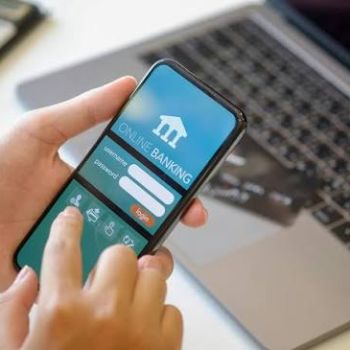
Public Wi-Fi is where a VPN adds the most value. Attackers can create fake hotspots with familiar names, so confirm the network name with staff, turn on auto-connect so protection starts quickly, and keep your kill switch enabled. When possible, use mobile data for high-value transfers, and avoid banking on shared computers entirely, since keyloggers may silently record every keystroke.
Malaysian Scams VPNs Cannot Stop
A VPN cannot stop social engineering. Bank Negara Malaysia reported national scam losses of RM2.97 billion in figures released in October 2026, mostly from fake investments and phone scams. Never share TAC codes, ignore links in unexpected messages, and report suspicious activity quickly to your bank. Use a VPN for connection privacy, and rely on your own vigilance for scams.
Smart Setup for Banking Safety
Install Before You NeedIt
Install and sign in at home on trusted Wi-Fi, then test your banking apps with the VPN on and off. Save a Kuala Lumpur server as a favorite, and enable auto-connect so protection starts without relying on your memory alone.
Mark Trusted Home Networks Carefully
Surfshark’s trusted networks setting pauses the VPN on Wi-Fi you mark as safe, such as home, while keeping protection active elsewhere. Never mark café, mall, airport, or hotel networks as trusted, because convenience should never weaken your overall protection online.
Add Extra Layers Beyond VPN
Pair the VPN with strong, unique passwords, biometric login, device updates, and your bank’s secure device authentication. Antivirus and breach alerts help catch malware and leaked credentials, which matter because banking trojans have targeted Malaysian users before, per MyCERT reports.
Final Verdict for Malaysian Banking
Online banking in Malaysia demands layered protection, and a VPN is one valuable layer rather than a complete shield. For Malaysians who bank on public Wi-Fi, travel abroad, or simply want greater privacy, Surfshark offers encrypted connections, a kill switch, 12 Kuala Lumpur servers, split tunneling, and unlimited device coverage under one account. Its audited no-logs approach, RAM-only servers, and optional antivirus and breach alerts add further reassurance. Compatibility still varies by bank, so test your apps at home, keep one consistent location, and use app exclusions only on trusted networks. Always follow your bank’s published security advice. Combine the VPN with strong passwords, secure device authentication, and constant scam awareness, and you can bank with considerably more confidence everywhere.