
Thailand’s cafés, airports and hotels offer plenty of public Wi-Fi, yet few networks are truly safe. This guide compares seven iPhone VPN apps on security, speed, simplicity and price, so travelers and residents can protect every tap, swipe and payment.
Best VPN for iPhone in Thailand: Secure VPN Apps Compared
Dylan Foster
4th Nov 2026
Using a VPN in Thailand is legal for personal use, but the Computer Crime Act gives authorities wide monitoring powers. An encrypted tunnel keeps your banking, messages and browsing private. Apps like Surfshark show how a good iPhone VPN should balance strong protection, easy controls and fair pricing for users.
What to Look For in an iPhone VPN
Strong Encryption And Privacy Policy
Choose a VPN with modern protocols such as WireGuard, a verified no-logs policy and RAM-only servers. In Thailand, where internet providers must keep traffic logs, an overseas company with regularly published audits protects your browsing history and data far better.
Fast Servers Across Asia Pacific
Speed matters when streaming, video calling or navigating Bangkok traffic. Pick an app with nearby servers in Singapore, Japan and Hong Kong, plus plenty of capacity, so your iPhone connection stays smooth and reliable even during busy evening peak hours.
Handy iPhone Features You Need
Look for a kill switch, automatic connection on untrusted Wi-Fi, split tunneling and strong ad blocking. Unlimited device connections are a bonus, letting you protect your iPhone, iPad, laptop and family devices under a single subscription without any extra fees.
Best VPN Apps for iPhone in Thailand
Surfshark: Best Value For Money
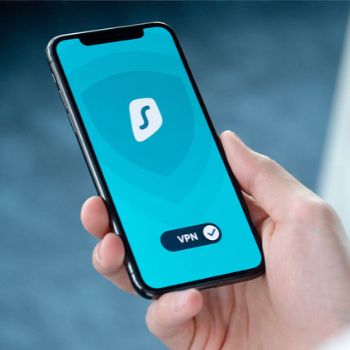
It packs 4,500+ RAM-only servers across 100 countries, unlimited simultaneous connections, Multi Hop double encryption, Bypasser split tunneling and CleanWeb ad blocking into one iPhone app. Pricing starts at $2.49 per month on the 24-month Starter plan, and a 30-day money-back guarantee lets you test it risk-free while travelling around Thailand. A 7-day App Store trial adds extra reassurance too.
NordVPN: Fast, Polished And Feature-Rich
NordVPN is well known for its NordLynx protocol, built on WireGuard, which delivers quick speeds on iPhone. It offers Threat Protection, a kill switch and a large server network. The interface is clean and beginner-friendly, though monthly pricing is usually higher than some rivals, especially on shorter subscription terms. Support is available around the clock through its live chat service.
ExpressVPN: Simple, Fast, Reliable Choice
ExpressVPN focuses on simplicity, with a one-tap connect screen and its proprietary Lightway protocol designed for quick connections and battery efficiency. It serves travelers who want reliable streaming access and minimal setup. The trade-off is price, since it generally costs more than budget-friendly alternatives, and device connections are limited compared with providers offering truly unlimited simultaneous use on one subscription.
Proton VPN: Privacy-First Swiss Option
Proton VPN is based in Switzerland and publishes open-source apps that independent experts can audit. It has built a reputation for strong privacy and transparency, and its free tier makes it attractive for light use. Paid plans unlock more server locations and faster speeds. That balance suits cautious users.
CyberGhost: Easy Budget Streaming Pick
CyberGhost offers a very large server network and profiles dedicated to streaming and everyday browsing, which helps beginners choose the right setting quickly. Its iPhone app is also straightforward and its long-term plans are competitively priced. Speeds can vary by location, so testing a few servers during the refund period is very wise before committing to a longer subscription term.
Private Internet Access: Customizable Control
Private Internet Access appeals to technical users with detailed settings, open-source clients and a long-standing no-logs reputation. You can adjust encryption, choose protocols and manage ad blocking inside the iPhone app itself. That flexibility is genuinely useful, although many beginners may find the extra options overwhelming compared with simpler, more automated apps from other leading providers on the market today.
How to Set Up a VPN on iPhone
Download From The App Store
Open the App Store, search for your chosen VPN and install the official app. Create an account, pick a subscription, and approve the VPN configuration request when iOS asks permission, which lets the app manage secure connections on your iPhone.
Turn On Automatic Protection Features
Enable the kill switch, auto-connect on untrusted Wi-Fi and ad blocking in settings. Apps such as Surfshark let you add Bypasser to exclude trusted apps, so banking or local Thai services keep working normally while everything else stays fully encrypted.
Check For Leaks And Speed
Connect to a nearby server, then run a DNS leak test and a speed check. If performance drops, switch protocols or servers. Repeat the test on hotel, airport and café Wi-Fi to confirm your protection stays consistent and reliable everywhere.
Final Verdict: Choosing Your iPhone VPN
All seven apps, including Mullvad, a minimalist, privacy-focused option, can secure an iPhone in Thailand, but value and features separate them. For most people, Surfshark stands out because Starter covers the core VPN from $2.49 per month on a 24-month term, One adds Antivirus, Alert and scam protection from $2.79, and One+ adds Incogni data removal from $4.49. Twelve-month pricing starts at $3.39, while monthly billing is $16.45, so longer plans save far more. Every plan includes unlimited devices and a 30-day money-back guarantee. Prices were accurate as of July 30, 2026, so confirm current rates on Surfshark’s pricing page, then test your choice on Thai Wi-Fi before committing long term. Ultimately, pick the one you will use every day.